Vue-based UI
With 2.7.0, pywb introduces a new Vue UI based system, which provides a more feature-rich representation of a web archive.
Overview
Calendar UI
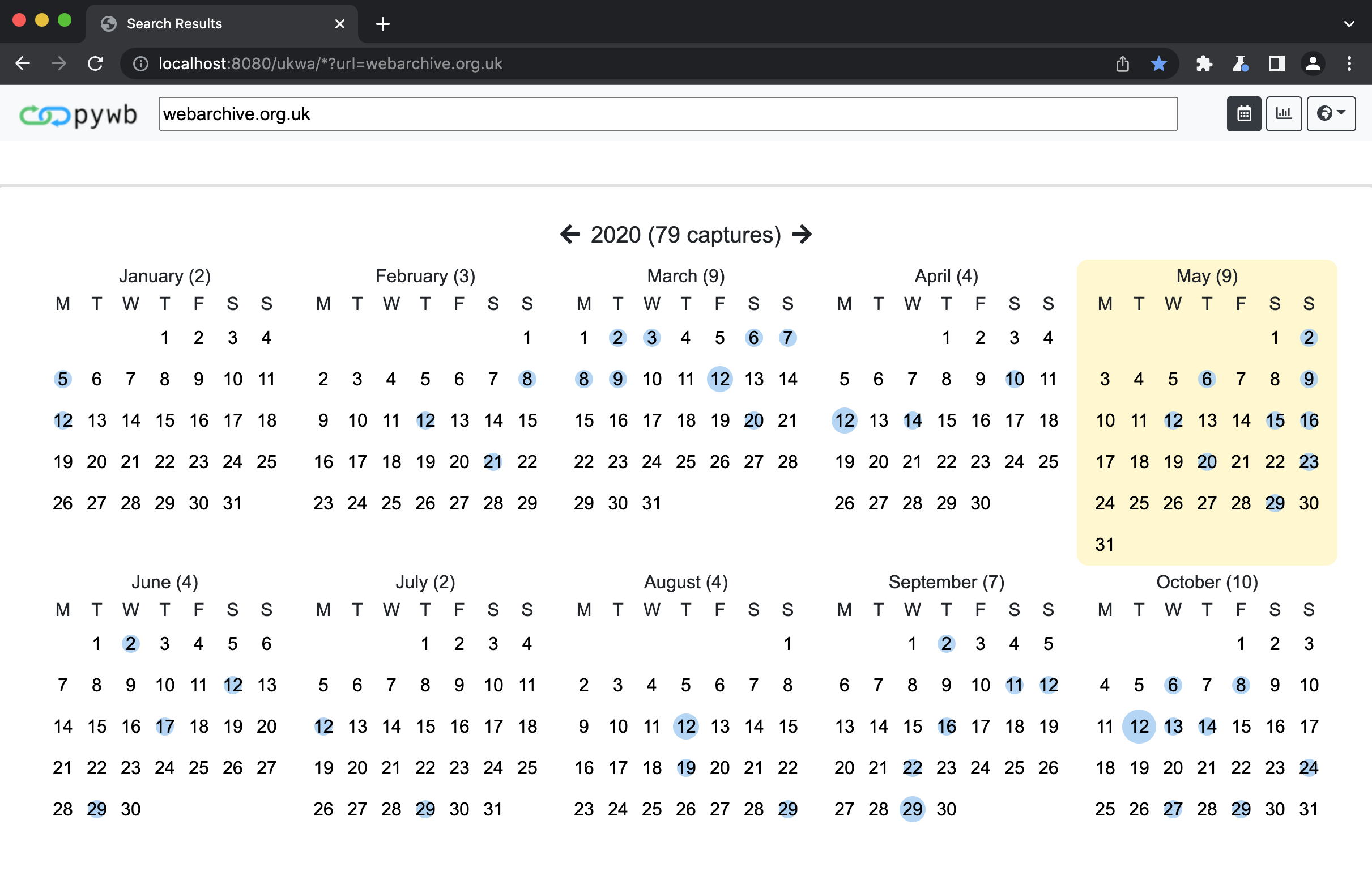
The new calendar UI provides a histogram and a clickable calendar representation of a web archive.
The calendar is rendered in place of the URL query page from versions before 2.7.0.
Banner Replay UI
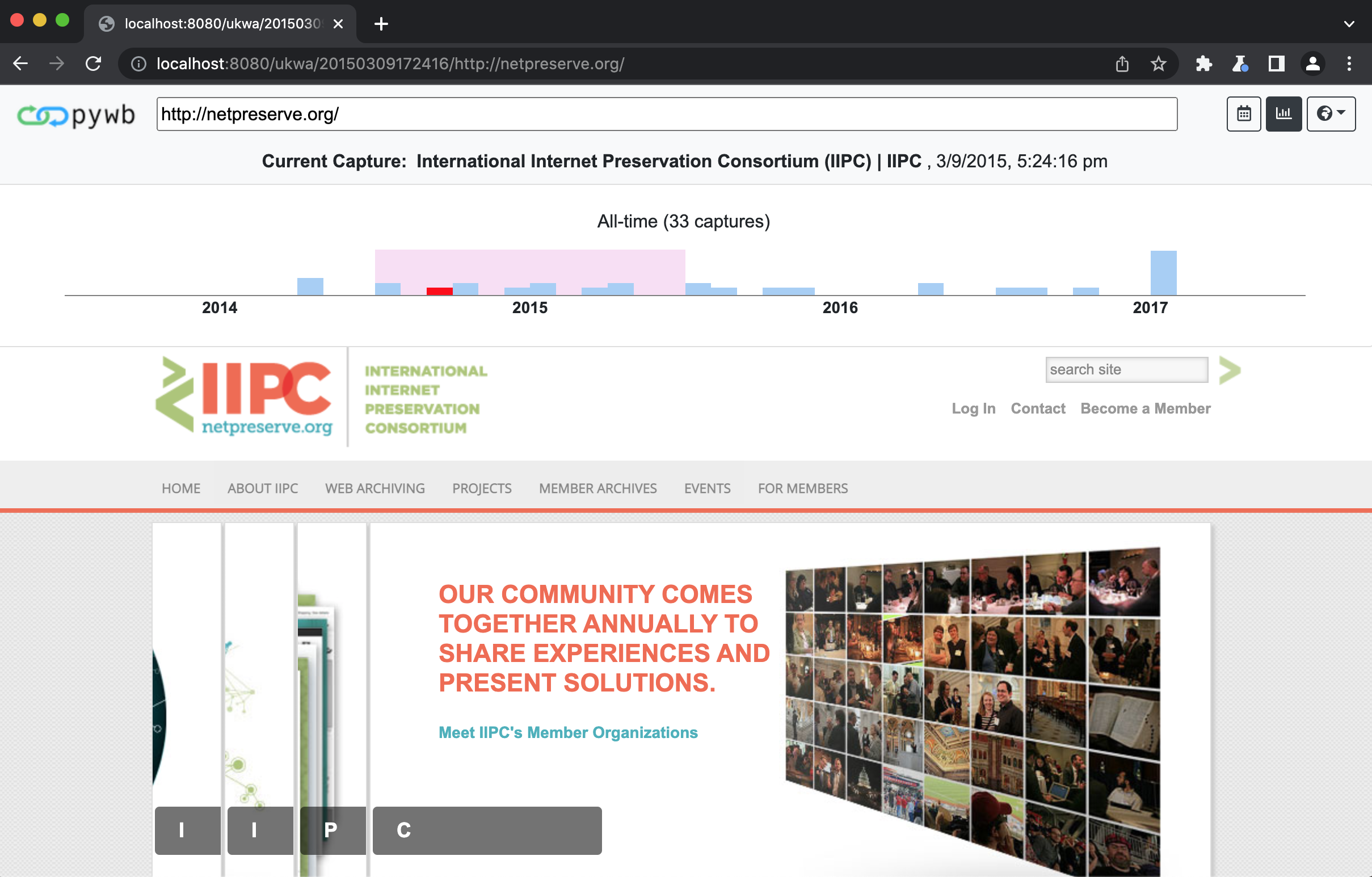
The new banner histogram allows for zooming in on captures per year, month, week, and day.
Navigation preserves the different levels. The full calendar UI is also available as a dropdown by clicking the calendar icon.
The new banner should allow for faster navigation across multiple captures.
Custom Logo
It is possible to configure a custom logo by setting ui.logo in config.yaml to a static file.
If omitted, the standard pywb logo will be used by default.
If set, the logo should point to a file in the static directory (default is static but can be changed via the static_dir config option).
For example, to use the file ./static/my-logo.png as the logo, set:
ui:
  logo: my-logo.png
Banner Colors
It is possible to configure the background color, text color, and button outlines of the header by setting values in the ui section of config.yaml.
To customize the header background color, set ui.navbar_background_hex to the color’s hex value, with the initial hash symbol (#) omitted. If omitted, #f8f9fa (Bootstrap 4’s light) will be used by default.
For example, to use the color #cff3ff as the banner color, set:
ui:
  navbar_background_hex: cff3ff
The navbar text color can similarly be set using the ui.navbar_color_hex setting.
The banner’s buttons default to Bootstrap 4’s btn-outline-dark. To use light-outlined buttons instead, set ui.navbar_light_buttons equal to any value.
Updating the Vue UI
The UI is contained within the pywb/vueui directory.
The Vue component sources can be found in pywb/vueui/src.
Updating the UI requires node and yarn.
To install and build, run:
cd pywb/vueui
yarn install
yarn build
This will generate the output to pywb/static/vue/vueui.js which is loaded from the default templates when the Vue UI rendering is enabled.
Additional styles for the banner are loaded from pywb/static/vue_banner.css.